How to Choose Construction Management Software in India: A Buyer's Guide
If you manage construction projects in India - residential towers, commercial offices, townships - you have probably evaluated software at least once. Maybe you bought something. Maybe it worked. More likely, it worked for the first three months, and then your site teams went back to WhatsApp groups and Excel sheets.
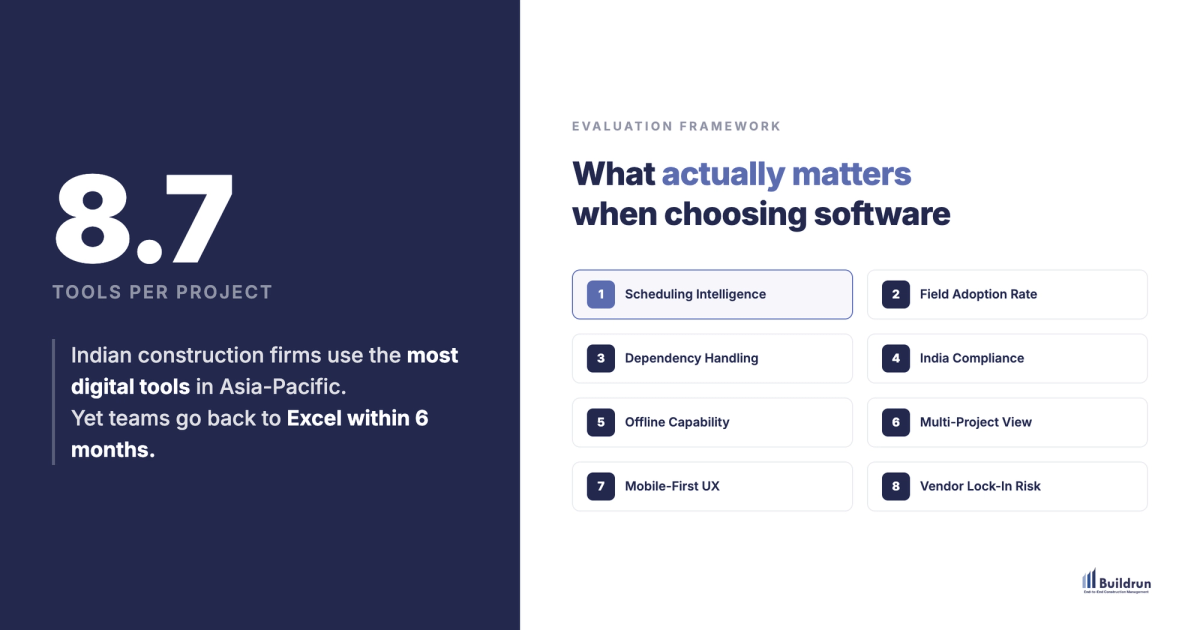
This is not a failure of your team. It is a pattern. According to the Autodesk-Deloitte State of Digital Adoption report (2024), Indian construction firms use an average of 8.7 digital tools per project. That is among the highest in the Asia-Pacific region. Tool adoption is not the problem. Choosing the right tool for how Indian construction actually operates - that is the problem.
This guide is built for developers and PMC firms managing Rs 100 Cr to Rs 3,000 Cr projects across Indian metros. We will walk through what to evaluate, what to watch out for, and the specific questions that separate a good demo from a polished sales pitch.
Step 1: Define What You Actually Need (Not What Vendors Want to Sell You)
Before looking at any software, answer these five questions honestly. Your answers will eliminate 60-70% of options immediately and save weeks of evaluation time.
1. How many active projects do you manage simultaneously? If it is 1-2, a spreadsheet-based approach might still work. If it is 5-15+, you need multi-project portfolio visibility - the ability to see schedule health across every active site from one screen without switching between tools.
2. Where does your schedule currently live? If it lives in one planning engineer's laptop, you have a single point of failure. When that person is on leave, schedule visibility drops to near zero. Your software should make the schedule a system, not a person.
3. How fresh is the data your leadership acts on? If your MD makes decisions based on data that is 3-7 days old, every decision carries hidden risk. The Autodesk-Deloitte report (2024) found that teams often discover delays 2-3 weeks after they actually happen. Your software needs to close that gap - not just display old data in a nicer format.
4. How many tools does your team currently use to manage a single project? Count them. Scheduling software, WhatsApp for updates, email for reports, paper for QC checklists, a separate tool for the planner, spreadsheets for cost tracking. The average across Indian firms is 8.7 tools per project (Autodesk-Deloitte 2024). Every disconnected tool is a place where data gets stale, duplicated, or lost.
5. What happened the last time you tried construction software? If the honest answer is "site teams stopped using it within six months," the next question is why. Usually, it is because the tool was designed for desktops, not for dusty sites with patchy 4G. The adoption problem is a design problem, not a people problem.
Step 2: The Seven Features That Actually Matter for Indian Developers
Not all features are equally important. These seven separate construction management software that works in India from software that was built elsewhere and adapted with a few tweaks.
1. Real-Time Auto-Scheduling
The most critical capability. When a task slips on site, does the system automatically recalculate every dependent activity and update the projected finish date - or does someone have to manually adjust the Gantt chart?
A residential tower with 200+ activities has 40-50 dependency chains. One slip can affect 15-30 downstream tasks. If recalculation takes hours of manual work, your schedule will always lag behind reality. Look for systems that recalculate dependencies in seconds, not hours.
This is the difference between a schedule that reflects what you planned and a schedule that reflects where you are actually headed.
2. Mobile-First Field Updates
Construction happens on scaffolding, not in server rooms. Your site engineers need to update progress from their phones - in 30 seconds, with a photo, with GPS validation - while standing on a dusty floor with inconsistent connectivity.
Evaluate this on a Rs 12,000-15,000 Android phone with 4G. Not on a demo iPad in an air-conditioned conference room. If the app cannot handle offline data entry with automatic sync when connectivity returns, it will not survive Indian site conditions.
3. Multi-Project Portfolio Dashboard
If you manage 5-15 projects simultaneously, you need one screen that shows schedule health across every active site. Colour-coded progress by tower. Floor-wise completion. Instant delay alerts. The ability to drill into any project without switching tools.
Without this, your operations team spends the first hour of every Monday meeting reconciling data from different sources. That is time spent figuring out what happened instead of deciding what to do next.
4. Quality and Inspection Management (QC/QA)
A 2,000-unit township generates 30,000-40,000 quality inspection records. Each needs photo evidence with location data and timestamps. If your QC process lives on paper checklists and WhatsApp photo groups, finding a specific record from three months ago means searching through 15+ chat threads.
Look for digital QC with GPS-tagged photos, searchable by tower, floor, unit, and inspection type. Mandatory fields that ensure no inspection step is skipped. Teams using structured digital QC commonly report completion rates above 95%.
5. Cost Tracking with Variance Alerts
Budget versus actual tracking should be real-time, not a monthly reconciliation exercise. The best systems predict overruns based on current burn rate rather than waiting for someone to notice the numbers are off.
Look for: real-time budget tracking by activity, automated alerts when variance crosses a threshold, cross-project cost pattern visibility. If cost data lives in a separate accounting system with no connection to the construction schedule, your PM is always working with incomplete information.
6. RERA and Indian Compliance Support
RERA timelines are hard deadlines with financial consequences. Your software should generate RERA-format progress reports directly from project data - not require your team to manually compile them from multiple sources.
Beyond RERA, evaluate for GST integration, state-level regulatory support, and the ability to produce audit-ready documentation. Software designed for North American or European markets treats Indian compliance as an edge case. For you, it is the main case.
7. Hindi and Regional Language Support
This is a non-negotiable that most international platforms miss entirely. Your site supervisors, contractors, and labour teams operate in Hindi, Marathi, Tamil, Telugu, Kannada, and dozens of other languages. If the mobile interface is English-only, field adoption will plateau at the project manager level and never reach the people who actually generate the data.
Step 3: Understanding the Four Categories of Software
Not all construction software is built the same way. Understanding the category helps you set realistic expectations.
Category A: Legacy Scheduling Tools
Strength: Deep scheduling logic, decades of refinement, strong CPM and earned value capabilities. If you need granular control over a single complex infrastructure schedule, these tools are hard to match. Limitation for Indian developers: Desktop-heavy, require specialised training, designed for single large projects rather than multi-tower residential portfolios. Field adoption is a common pain point.
Category B: International Enterprise Platforms
Strength: Comprehensive feature coverage, strong document management, mature integration ecosystems, proven at global scale. Limitation for Indian developers: USD-denominated per-user pricing that becomes expensive at Indian team sizes. Compliance modules built for OSHA, not RERA. Implementation cycles that can stretch 6-12 months. Support teams in different time zones.
Category C: India-Focused Construction Platforms
Strength: Built for Indian workflows from the start. INR pricing. RERA, GST, and local compliance built in, not bolted on. Typically mobile-first for Indian site conditions. Faster onboarding because the product already matches how Indian construction operates. Consideration: Newer category - verify vendor stability by asking about customer count, data portability, and how long they have been in market.
Category D: Spreadsheets and General-Purpose Tools
Strength: Zero learning curve, completely flexible, free. Limitation: No auto-scheduling, no dependency tracking, no audit trail, no real-time alerts. Works for 1-2 small projects. Breaks down suddenly once you cross 3-4 concurrent sites.
Step 4: Questions to Ask During a Demo
Demos are designed to impress. These questions are designed to cut through the polish and reveal how the software actually performs in real conditions.
On Scheduling
- "Can you load one of our actual projects into the system before the demo?"
- "If I change one task's status right now, how quickly does the projected finish date update?"
- "How does the system handle 200+ activities with 40-50 dependency chains?"
- "Can we import our existing schedules from spreadsheets or other scheduling tools?"
On Field Adoption
- "Can we test the mobile app on a Rs 12,000 Android phone with spotty 4G?"
- "What happens when a site engineer logs a progress update while offline?"
- "How long does a typical field update take - in seconds, not in the best case?"
- "Is the interface available in Hindi or other regional languages?"
On Implementation
- "How long does a typical rollout take across 3-5 active sites?"
- "Do you send people to our sites for training, or is it all remote?"
- "What is your onboarding failure rate? What percentage of implementations do not reach full adoption?"
- "Can you share a reference from an Indian developer managing a similar number of projects?"
On Data and Exit
- "Where is our data hosted? India-based servers?"
- "If we decide to switch vendors in two years, can we export all our data? In what format?"
- "What is your SLA for data recovery if something goes wrong?"
- "How does the system integrate with our existing ERP and accounting software?"
On Results
- "What is the average reduction in schedule slippage your customers report?"
- "Can you share a case study from an Indian residential developer?"
- "What does the reporting lag look like - when data is entered on site, how quickly does it appear in leadership dashboards?"
- "What happened in your most challenging implementation? What went wrong and what did you change?"
The Decision That Matters Most
The feature list matters. The pricing matters. But the decision that will determine whether your software investment succeeds or fails is this: will your site teams actually use it every day?
48% of Indian construction firms cite the skills gap as their top barrier to technology adoption (Autodesk-Deloitte 2024). That number does not mean your people lack skills. It means the tools they have been given were not designed for how they work. A site engineer who sends 50 photos on WhatsApp every day does not have a technology adoption problem. They have a tool design problem.
The right construction management software for an Indian developer is one that:
- Works on the phones your site teams already carry
- Updates the schedule automatically when progress data comes in
- Gives leadership a real-time view without anyone compiling reports manually
- Handles RERA, GST, and Indian compliance as first-class features
- Can be learned by a site engineer in under a day - with on-site training, not a PDF manual
We built Buildrun around these exact requirements. Over 10,000 active site users across 25 million+ sq.ft. of construction projects use it daily - because it was designed for Indian sites, not adapted for them.
But whatever direction you choose, use the framework above to make a structured decision. The cost of choosing the wrong software is not just the subscription fee. It is six months of failed adoption, a team that loses faith in digital tools, and the delays that continue while you start the evaluation process all over again.
Want to see how Buildrun handles your specific project types? Book a 15-minute walkthrough using your actual project data. No pitch decks - just your data, our platform, and an honest conversation about whether we are the right fit.
This content is for informational purposes only. RERA regulations vary by state and are subject to change. Consult your legal team for compliance requirements specific to your project and jurisdiction.
See how this works in practice
Buildrun gives construction teams live project data, automated scheduling, and real-time progress tracking - across every site, every day. See it working on a real project.